Confidence monitors: what the speaker sees
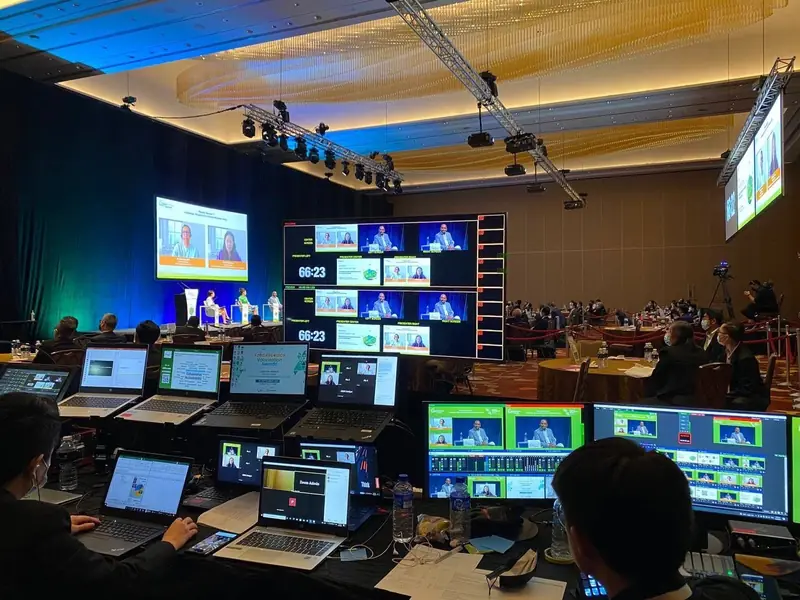
A speaker who turns round to read their own slide loses the room for a few seconds every time. Their face leaves the camera and their voice drops off the microphone, which is how a talk that sounded fine in the room comes out patchy on the recording.
A confidence monitor fixes that. It is a screen facing the stage, usually low at the front edge, showing the speaker what the audience is looking at behind them on the LED wall or the projection screen. Some people call it a comfort monitor or a confidence screen. It is the same thing.
What it should show
The simplest version mirrors the main screen. That suits a speaker who knows the deck well and only needs to see where they are in it.
The more useful version shows the current slide, the next one and the speaker notes, which presentation software calls presenter view. That needs its own feed from the show computer, separate from the one going to the main screen, and it has to be tested with the actual deck before the speaker walks on. Getting the two outputs the wrong way round puts the speaker notes on the main screen, which is worth finding in rehearsal rather than in front of an audience.
A timer is the third thing worth putting on it. A programme running to the minute needs the speaker to see the clock, and a countdown in the corner of their own monitor is easier to keep to than a signal from the side of the room.
Where it goes
Downstage, meaning at the front edge of the stage, angled up at the speaker. Low enough to stay out of the audience's view and out of the camera's wide shot, close enough to read without leaning in.
A speaker at a lectern needs one in their line of sight from the lectern. A speaker who walks the stage needs one wide enough to read from anywhere on it, or one each side. A panel needs its own, facing the panel, because panellists look at the moderator and the audience rather than at the screen behind them.
In a large room there is a case for one more at the back of the hall at eye height, so a speaker looking out at the audience sees their slide without looking down at all.
Size follows the distance
The screen has to be read from where the speaker stands, not from a desk. Speaker notes need a larger screen than a mirrored slide does, because notes are smaller text. If the deck was built in small type, the confidence monitor shows that problem before the audience does.
The cable run is the real work
The show computer usually sits at the control desk at the back of the room, and the monitor sits at the front of the stage. Getting a clean picture over that distance takes the right signal path, and the cable has to run somewhere that is not a walkway or under the feet of the front row. That is why monitors are best settled while the layout can still change.
Confidence monitor or teleprompter
The two get confused. A teleprompter puts a scrolling script on angled glass in front of the speaker or the camera, for a speech read word for word. A confidence monitor shows slides, notes and time, for someone speaking to a deck. If a speech is fully scripted, say so early, because that is a different device with its own operator.
What moves the price
How many monitors, how large, whether each one mirrors the main screen or carries its own feed, and how far the signal has to travel. A mirrored monitor is a small line on a quote. Presenter view with notes and a timer needs its own output and someone at the desk running it. The switching behind it comes under LED walls and projection, and the displays are on the equipment list.
What to send us
How many people are presenting, whether they work from notes, whether there is a lectern or a panel, where the cameras are, and how strictly the programme is timed.
Tell us how the speakers will present and we will quote the monitors with the feeds they need, not just the screens.