TV rental for events in Singapore
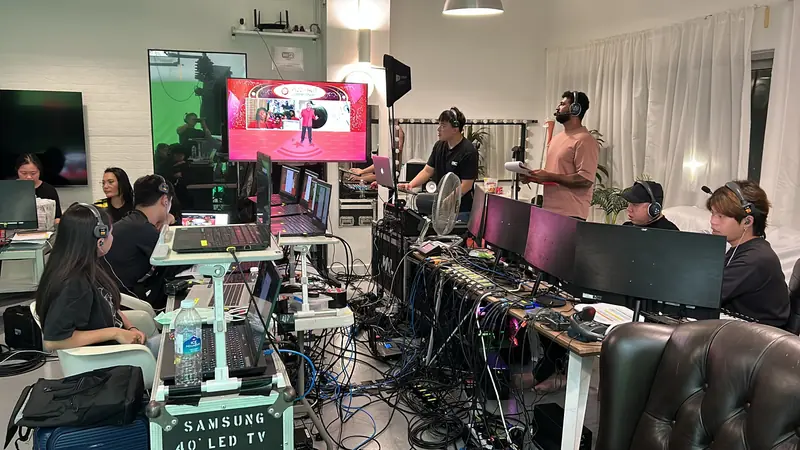
Not every screen at an event is an LED wall or a projector. The registration desk, the sponsor corner, the breakout room for twenty and the foyer where latecomers watch the ballroom all need something smaller, bright enough for a lit room and quick to set up. That is what a TV on a stand is for.
Where a TV is the right screen
A TV suits an audience that is small or standing close: a booth, a meeting room, a registration counter, a foyer. It stays readable with the lights up and the curtains open, which a projector often does not, and it needs no throw distance and no blackout.
It stops working when the room gets big, because the back rows cannot read it. For a ballroom audience the main screen is an LED wall or projection, and TVs go where the main screen cannot reach: the foyer, the side rooms, the back of a long hall.
Size it from the furthest reader
A rough guide: people can read an ordinary slide from about six times the screen's height away. A 65-inch screen stands about 80 centimetres tall, so its readers should be within about five metres of it. A video or a logo loop can be watched from further back; a spreadsheet needs people closer.
In a long room, two screens partway down beat one large one at the front. In a booth, a screen at eye height serves the people standing in front of it, and one mounted high is for being seen from across the aisle.
The stand decides where it can go
Event TVs usually sit on a floor stand with a wide base, which needs nothing from the venue and carries the cables up its spine, out of the walkway. Some stands turn the screen to portrait, which suits signage, menus and schedules. A table-top stand puts a smaller screen on a counter at registration.
Hanging a screen on a wall is a different job. It needs the venue's permission and something solid to fix to, and on a temporary wall such as a booth panel, the wall has to be built for it.
What plays on it
A loop from a USB stick is the simplest source. Most TVs play photos and video from a stick on their own, which suits a sponsor reel or a welcome slide. Test the actual file on the actual screen before the day: TVs are fussy about video formats, and a file that plays on a laptop can come up as unsupported on the screen.
A laptop is the usual source in a breakout room, or at a registration desk running a check-in system. The cable is short in a meeting room and long anywhere else. Over a long run, such as from a control desk to the far side of a ballroom, a plain HDMI cable stops being reliable and the signal needs an extender.
A live feed is the third option: a TV in the foyer showing what is happening on stage, for latecomers or an overflow room. That takes its own feed from the vision desk, with sound, and the live streaming guide covers how that feed is made. A TV facing the stage for the speaker is a confidence monitor, which has its own guide.
Sound is a separate question
A TV's own speakers are fine for a booth video at a low level and not much more. If people need to hear it across a room, the TV needs a feed into a proper speaker or into the room's sound system.
Power and the venue
Every screen needs a socket within reach and a cable route nobody trips on. In a hotel that is usually simple. In an exhibition hall, power is ordered from the organiser before the show, and a screen the booth plan forgot is a screen with no power on the opening morning.
What moves the price
How many screens, how large, which stands, and how the content reaches each one. A screen playing a loop from a stick adds little. A screen carrying a live feed across a venue needs cabling and a source at the desk. Timing counts too: screens that can go in the night before are simpler than screens that have to go in between sessions. The displays are on the equipment list, and the feeds that reach them come under LED walls and projection.
What to send us
Where each screen goes, what it shows and where that comes from, the size of the room or the booth, and the event hours, including when set-up can start.
Tell us where the screens go and what each one shows, and we will quote the screens, the stands and the feeds together.